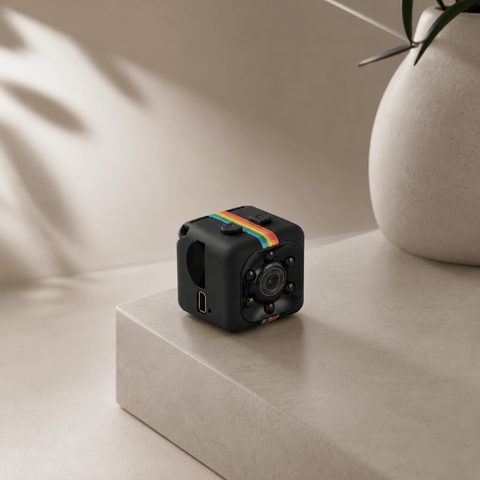
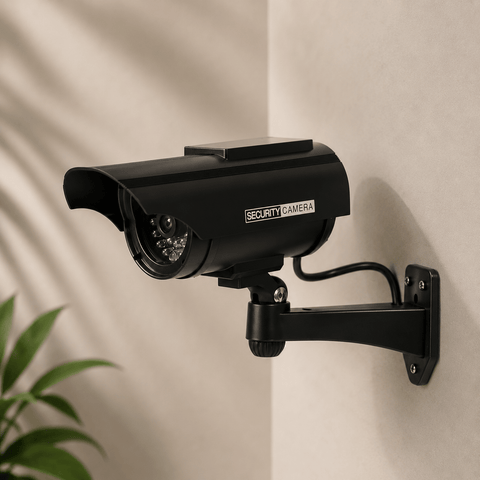
Search for an outdoor security camera and you'll find a wall of options, each promising sharper video, smarter alerts and easier setup than the last. The specs come thick and fast, megapixels and lux ratings and fields of view and IP codes, and almost none of it tells you whether the camera will actually work at your front gate, your shed or the far end of your block. So plenty of people end up choosing on price, or on whichever brand looks familiar, and then spend the next few years with a camera that drops offline, floods their phone with false alerts, or needs a power point that was never there.
It doesn't have to be that complicated. Choosing an outdoor security camera gets much easier once you know which features genuinely change your experience and which ones are mostly marketing. This guide walks through what actually matters when choosing an outdoor security camera, the specs that count for less than you'd think, and how to match a camera to your own property, from a suburban backyard to a remote shed.
Why More People Are Switching to Wireless Outdoor Security Cameras
An outdoor security camera is a weatherproof camera that watches the outside of your property, records what it sees and sends an alert to your phone when something happens. The newer wireless models go a step further. They run on a solar panel and a rechargeable battery rather than a power cable, and many connect over Wi-Fi or mobile coverage, so you mount them, open the app and they start watching.
That simplicity is the reason so many households have made the switch. There's no electrician to book, no cable to run across the yard and no router to find a signal for. You can put a camera where you actually need one, rather than where the nearest power point happens to be. The better models also cut out the monthly subscription that many brands charge just to view or store your own footage, which adds up quickly over a few years.
The honest trade-off is that a wireless camera depends on two things a wired one doesn't: sunlight to stay charged and a reliable connection to reach your phone. Both are easy to manage with the right camera, because a good battery carries it through several overcast days and a 4G model uses the same mobile network your phone does, so a dead Wi-Fi spot stops being a problem. They're still worth checking before you buy, which is why they feature so heavily below.

What Actually Matters When Choosing an Outdoor Security Camera
Most buying advice focuses on resolution, but picture quality is rarely the problem. What matters more is whether the camera connects where you need it, holds its charge, avoids unnecessary alerts, and doesn't require a monthly fee. Here are six factors to consider when choosing an outdoor security camera:
- Power – A camera is only useful while it's switched on. Solar with a decent battery backup means no cables, no flat batteries to swap and no gaps in coverage when the weather turns. Wired cameras can be reliable, but only where there's power nearby.
- Connectivity – Many cameras need a strong Wi-Fi signal, which stops at the back door more often than people expect. If the spot you want covered is a shed, a gate or a paddock, a camera that can run on a 4G or 5G SIM will work where Wi-Fi won't.
- Coverage – A fixed lens sees one angle, which leaves a blind spot the moment someone walks out of frame. A camera that pans, tilts and tracks covers far more ground and can watch an entire yard on its own, which means fewer cameras to buy and mount.
- Detection quality – A camera that alerts you to every moving leaf, cat and passing car teaches you to ignore it. Look for detection that can tell a person from an animal or a swaying branch, so the alerts you do get are the ones worth opening.
- Weather and build quality – Outdoor cameras live in sun, rain, dust and, in much of Australia, extreme heat and salt air. Check the weather rating is real and that the camera is built for outdoor use rather than adapted from an indoor one.
- Running costs and ownership – Some cameras look cheap until you add the monthly cloud plan. Ask where your footage is stored, who can see it and whether you need to keep paying to access it.
Get these right and you sidestep the three things that send a camera to the bottom of the drawer: it won't stay online, it alerts too often to trust, or it costs more every month than it did on the day you bought it. Everything after that is detail.
A Closer Look at Outdoor Security Camera Specs
Beyond those six factors sits the spec sheet, which speaks a language of its own. A number only means something once you know what's normal, since a figure that sounds impressive on its own is often just average. Here's what each of the main specs measures and roughly where it sits on a typical outdoor camera.
Video Resolution
Resolution describes how much detail the camera records. Most home cameras sit somewhere between 2MP (1080p) and 4K, and the difference shows up when you need to zoom in on a face or a number plate rather than just see that someone was there. Higher resolution also means larger video files, so it helps to know how the camera stores them. Treat resolution as a way of judging clarity, not a guarantee of it, because a sharp sensor behind a cheap lens still gives a soft picture.
Field of View and Pan-Tilt Coverage
Field of view is the width of the scene the camera can see, measured in degrees. A fixed lens usually covers somewhere around 100 to 130 degrees, while a pan-and-tilt camera can rotate to cover 360 degrees. Optical zoom is worth a look here too, because it lets you magnify distant detail without losing quality, which digital zoom can't do. For anything beyond a doorway, wider coverage usually beats extra resolution.
Power and Battery Backup
For solar cameras, two numbers matter: the panel's wattage and how many days the battery can run without sun. A panel of around 5 to 10 watts is typical for a camera of this kind, and a battery that lasts several days without sun is what carries it through a run of cloudy weather. If a brand quotes a panel size but never mentions backup days, ask the question before you buy.
Connectivity
Cameras connect by Wi-Fi, by a mobile SIM (4G or 5G), or occasionally both. Wi-Fi is fine if your signal reaches the mounting spot comfortably, and a SIM is the better answer anywhere it doesn't. Keep in mind that a SIM camera uses mobile data, so check how much and what plan you'll need. Some cameras are also compatible with satellite internet such as Starlink, which matters on rural properties.
Storage
Footage is stored on a memory card in the camera, in the cloud, or both. Cloud storage is convenient, but it often comes with a monthly fee. A memory card means you own the footage outright, with nothing to pay and nothing to lose if a subscription lapses. It's worth checking whether a card is included, how large it is and whether footage also copies to your phone.
Weather Rating
Outdoor cameras carry an IP rating, such as IP65 or IP66, which describes how well the camera is sealed against dust and water. The first number is dust protection and the second is water protection, so a higher figure is better. IP66 means the camera is fully sealed against dust and can handle heavy rain and strong water jets. That level of protection is well suited to exposed outdoor locations, from suburban backyards and sheds to remote and rural properties.
Night Vision Range
Crime doesn't wait for daylight, so this is the spec that decides how useful the camera is when it counts. Night vision range is quoted in metres, and many home cameras reach somewhere between 10 and 30 metres. Check whether the night image is black and white or colour, since colour footage makes it far easier to describe clothing and vehicles afterwards. Also check that the range is realistic for the distance you need, such as the length of the driveway, not just the front step.

Matching an Outdoor Security Camera to Your Property
The type of property is the easiest thing to describe and the least useful on its own. Two homes of the same size can need completely different cameras, because what matters is the practical stuff: whether there's a power point nearby, whether Wi-Fi reaches it, how much ground you need to watch and how much sun the camera gets. Use the table below as a starting point:
| Your property | What you need to cover | What to prioritise | What tends to decide it |
|---|---|---|---|
| Townhouse or unit | Front door, courtyard, car space | Clear picture and reliable alerts | Wi-Fi strength and mounting options |
| Standard suburban home | Front and back yard, side access | Wide coverage and person detection | Blind spots and false alerts |
| Rural property or acreage | Sheds, gates, driveways, paddocks | Solar power and a 4G connection | No Wi-Fi, no mains power |
| Holiday home, farm or worksite | Remote or unattended buildings and equipment | Long battery backup and remote alerts | Power, signal and distance from home |
The table is a useful guide, but your own property should have the final say. Walk the boundary and note where you'd actually mount a camera, whether there's power and signal at that spot, and how much sun it gets. Those details can change the power, connectivity and coverage that will work best, even when two properties look the same.
The Best Outdoor Security Camera for Your Property
Finding a camera that ticks every box isn't always easy. One might have a great picture but need a power point and Wi-Fi that your shed will never have, while another is easy to install but charges a monthly fee to view your own footage.
The Guardian Solar Camera is designed to avoid those compromises. It's a solar-powered outdoor camera that works day and night without Wi-Fi, mains power or monthly fees. Choose the 4G or 5G SIM model and it runs on mobile coverage alone, or pick the Wi-Fi model for a spot that already has a good signal. Either version is also Starlink compatible, so it can be placed where a cable or router never could.
There's no compromise on the picture, either. Two lenses give 360-degree pan-and-tilt coverage with 16× optical zoom, recording in 4K, with colour night vision up to 20 metres and total visibility of up to 30 metres. The AI detection is built to spot people rather than animals, so when your phone does buzz, it's worth looking at. The camera then locks on and tracks them automatically, and a flashing light and alarm trigger while two-way audio lets you speak to them from the app.
The 7.5W solar panel keeps the battery topped up, and the built-in battery carries the camera for more than four days without sun. It's rated IP66, so dust, rain, extreme heat and salt air are all part of the job. Footage saves to the included SD card and copies to your phone, with no subscription and unlimited family sharing at no extra cost. Setup takes under five minutes with no drilling and no installer, and if you get stuck, Sentinel Cameras is an email away.
If your entry point already has mains power and a strong Wi-Fi signal, a simpler wired camera may do the job for less. But for sheds, gates, driveways, rural properties and any spot where power and internet don't reach, The Guardian is the best option, giving you a way to watch your property without the cables, the fees or the guesswork.
Final Thoughts
When it comes to choosing an outdoor security camera, the specifications only tell you part of the story. Power, connectivity, coverage, detection and build quality all matter, but what matters most is how those things work together on your own property. A camera that's perfect for a front door with a power point beside it won't necessarily suit a shed at the back of the block or a gate a kilometre from the house.
Take a few minutes to think about where you'll actually mount the camera and what you need it to see, then focus on the features that make that job easier. Look beyond the headline numbers, consider the practical details, and choose something you'll trust to be switched on and watching every time you need it. That's ultimately what makes a good security camera: one that keeps working in the background so you don't have to think about it.